Ten years with my BlackWidow Ultimate: why I’m ready to upgrade
A firsthand look at my Razer BlackWidow Ultimate 2016, with fresh input checks and gaming notes recorded September 20–21, 2026.
The short version
I’ve spent ten years with this keyboard, from League of Legends to long sessions of Valorant. Taking a fresh look at it helped me figure out what I still enjoy and what I want from my next keyboard.
The BlackWidow Ultimate still gives me a satisfying, clicky typing experience, and I didn’t notice unexpected movement inputs during the Valorant sessions described here. Its footprint, noise, and software are the bigger everyday compromises. I want more room for my mouse and better wrist comfort.
This is a review of my own keyboard after years of use, and the baseline for a future Keychron K8 HE comparison. I haven’t tested the K8 HE yet.
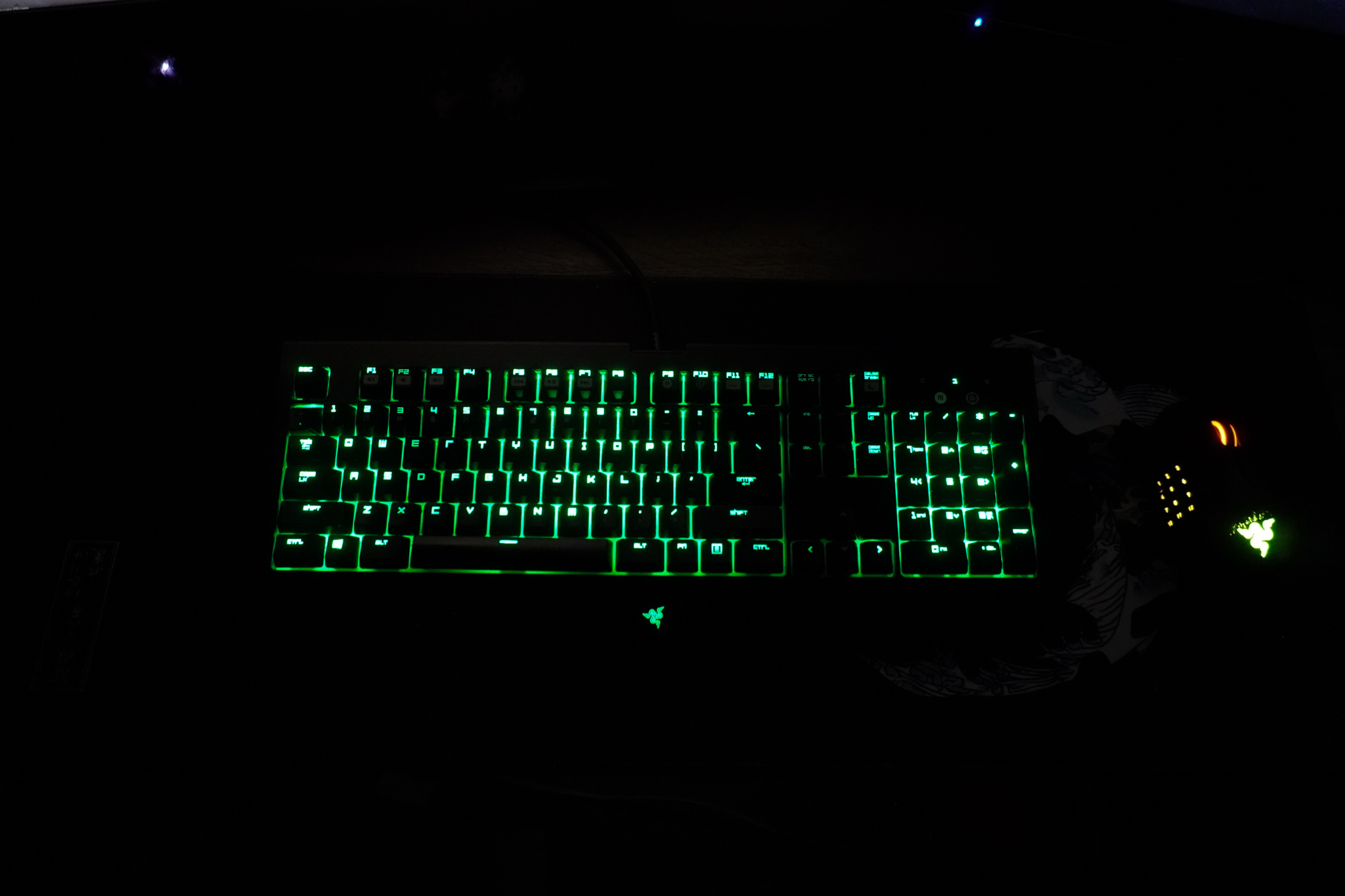
The keyboard I grew up playing on
I still remember buying this keyboard at Best Buy in 2016 and feeling surrounded by all the coolest gear. It has been with me through a lot of gaming since then.
League of Legends was my first PC game. This keyboard was on my desk through my best and worst sessions, from Bronze all the way to Diamond. That history matters to me, but it doesn’t make the keyboard responsible for my rank.
Coming back to it with a review checklist made me separate what I’m attached to from what I would actually want in my next keyboard.
What I used and checked
The review keyboard is my Razer BlackWidow Ultimate 2016, purchased at Best Buy in 2016. My current setup record identifies it as RZ03-0170. These new observations were recorded on September 20–21, 2026, using Windows 11. I used no wrist rest.
The practical checks included two A-key tapping runs, two W/Left Shift/Space combination runs, two W-key holds, a 90-minute Valorant comfort session, separate gaming observations, lighting settings, listening impressions, and an informal microphone check.
The input recordings show what Windows received. They do not measure the time from my finger moving to the computer receiving an input, and they were not recordings of the games themselves.
Desk space: why I want to switch to TKL
In the 90-minute Valorant session, the keys felt solid and responsive to me. Wrist comfort was less convincing. I used no wrist rest, and I haven’t isolated how much of that experience came from the keyboard or my desk position.
The full-size layout was the more obvious frustration. With the number pad taking up space, I had less room to move my mouse. During play, I wanted to flick farther without hitting the keyboard or running off the mouse pad.
That makes a TKL keyboard an interesting next step for my setup. I haven’t measured the space difference yet or established that a smaller keyboard will improve my aim.
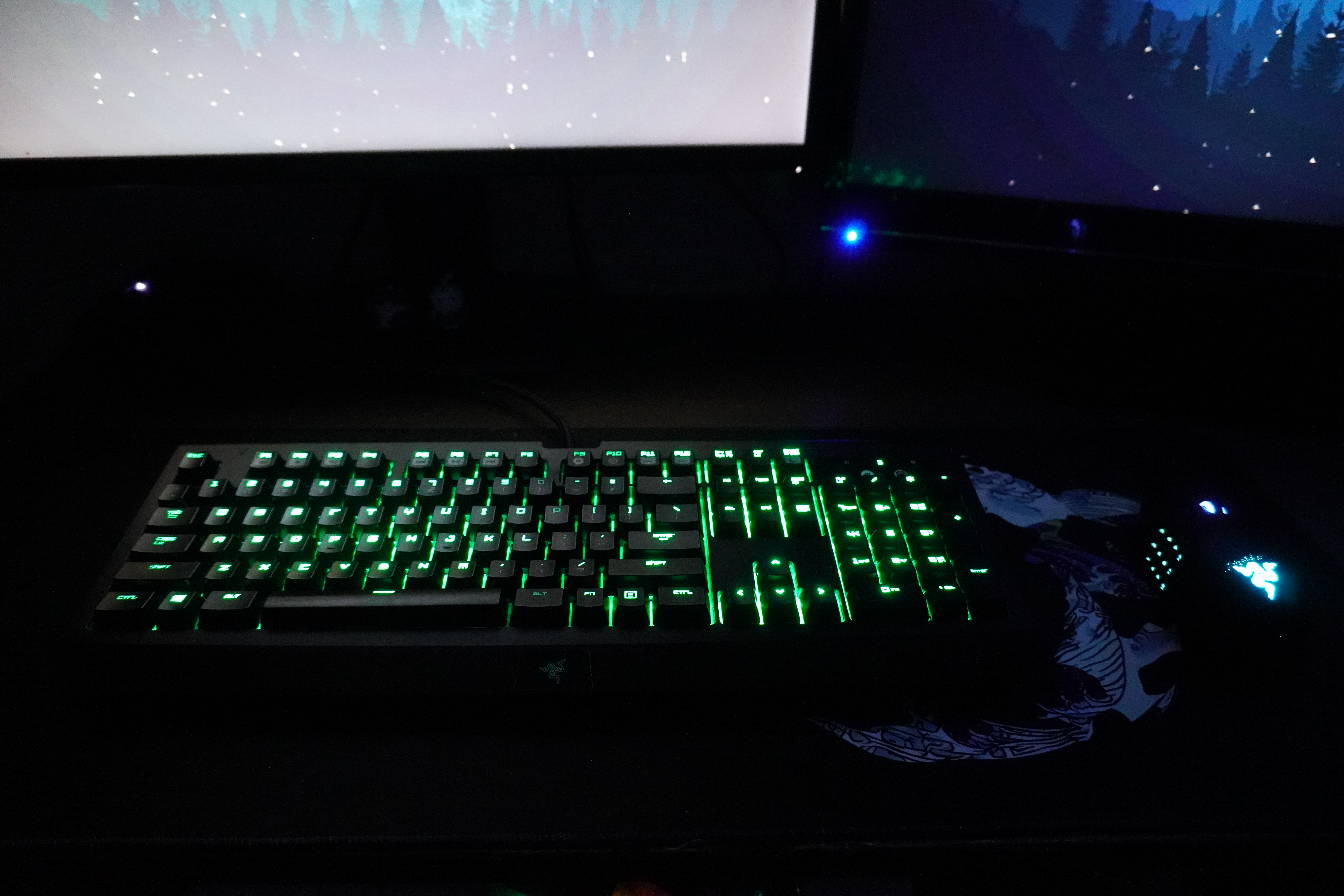
Typing feel and microphone noise: living with the clicks
I enjoy the snappy, clicky feel. The sound is part of that experience, but it is also something I would want a buyer to hear before deciding.
In my checks, I didn’t notice sticking, rattling, or uneven edge presses on Space, Enter, Backspace, or Shift. I could feel a little side-to-side movement in the keys while typing. I wouldn’t describe them as loose, and I haven’t isolated which part of the key assembly was moving.
In my informal microphone check, the keyboard came through clearly without noise suppression; using noise suppression reduced that pickup. This is a listening impression from my own setup. Noise suppression also doesn’t change what someone sitting in the room hears. Based on its sound, I would be cautious about choosing it for a quiet shared room or for use beside someone trying to sleep.
What the input recordings actually show
In the second A-key run, I initially thought I had found an extra physical press. Looking more closely at the recording changes that interpretation: it contains 25 initial presses and 25 releases, plus one event marked as a repeat while the key was still down.
That repeat arrived about 501 milliseconds after the original key-down event, roughly 3 milliseconds before release. The two held-W recordings also began repeating after about half a second. This pattern is consistent with normal key repeat; it does not establish switch chatter or a double-press fault.
Microsoft documents that holding a key can produce several key-down messages before one key-up message. My Windows repeat-delay setting was not recorded, so I’m not claiming to have proved the cause or ruled out every possible fault. [1]
| Check | Recorded result | What it supports |
|---|---|---|
| A-key taps, two runs | 25 initial A presses and 25 releases in each run; one repeat in run two. | No additional complete A press-and-release cycle in these recordings. |
| W + Left Shift + Space, two runs | All three target keys were recorded down together 7 times in one run and 22 times in the other. | The selected combination registered during these runs; this is not a full rollover test. |
| W-key holds, two runs | One press and one release in each run; recorded holds of about 9.47 and 9.61 seconds, with repeat events between. | No intervening W release in either recorded hold; this is not a measured latency result. |
Gaming in Valorant and League: what I noticed
Valorant felt consistent during the sessions described in my notes. I didn’t observe unexpected movement inputs, and the keyboard felt responsive. I haven’t measured its latency or compared it against the K8 HE, so this is an account of how it felt rather than a speed claim.
In ranked Summoner’s Rift, I used default bindings with quick cast enabled. Most combinations felt consistent, but there were a few unusual inputs that I couldn’t confidently attribute to the keyboard.
The isolated key checks cannot explain those moments on their own. I would need to reproduce a specific sequence and record what happened before calling it a hardware problem.
Using the BlackWidow Ultimate with legacy Synapse
Configuring this keyboard required a legacy version of Razer Synapse in my setup. It wasn’t a lengthy process, but needing older software alongside newer peripheral software felt cumbersome.
I changed the lighting settings and noticed that they seemed to reset when I closed and reopened the app. I haven’t yet documented enough controlled repetitions to describe exactly when this happens or to call it a problem with every keyboard.
The lighting on this model is green, rather than RGB. Razer’s support page lists Synapse 2 for the BlackWidow Ultimate 2016. [2]
Razer also says Synapse 2 still operates on existing PCs, but its cloud-related features lost support on October 28, 2025. That is relevant ownership context, not evidence that the cloud change caused my lighting issue. [3]
My verdict: who this still suits
If you already own one, like clicky keys, and have enough desk space, age alone wouldn’t convince me to replace it. My keyboard still has a feel I enjoy.
I’m not giving a current used-price recommendation because I haven’t established one. Anyone considering a used example would need to assess that specific keyboard’s condition and software compatibility; my experience with one keyboard cannot stand in for that.
For my next keyboard, the priorities are clearer: more mouse space, a comfortable position for longer sessions, and a sound I can live with in everyday use. Whether the K8 HE delivers those improvements is the next question.
Before you replace your keyboard
If you’re considering an upgrade, these are the checks I’d start with on your current setup.
Mouse room
Try your usual mouse movements. Notice whether the keyboard gets in the way or you run out of mousepad.
Comfort
Notice how your setup feels during a normal session. Note your desk position, keyboard angle, and whether you use a wrist rest.
Microphone pickup
Record yourself speaking and typing with noise suppression off and on. Keep the microphone position and gain the same.
Software
Change a setting you actually use, then close and reopen the app. Note whether it stays saved and how much setup it takes.
Pick your priority. Write down what you enjoy now and the one frustration you most want your next keyboard to solve.
Limits and the next comparison
This is one owner’s experience with one approximately ten-year-old keyboard, supported by a small set of recent checks. I haven’t measured hardware latency, polling rate, sound pressure, switch force, or production-wide reliability. The record also does not establish the cause of the unusual League inputs or the lighting behavior.
For the K8 HE comparison, I’ll document both setups, repeat the same checks and typing passage, and keep the microphone position and processing consistent. A worn keyboard versus a new one will be an ownership comparison, not a controlled test of age or switch technology.
Sources
[1] Microsoft: WM_KEYDOWN—autorepeat behavior
[2] Razer: BlackWidow Ultimate 2016 support
[3] Razer: Synapse 2 support and cloud-service changes
Product/software documentation checked September 21, 2026.